Product

All featuresECHOEstimates & quotesProjects & schedulePhone & texts

Company

IndustriesPricingResourcesSign in

Features/Phones and tablets

Phones and tablets

A contractor app that runs in your phone’s browser

ECHOPS runs in the browser on any phone or tablet and installs to your home screen with alerts, so your office, sales team, crews and clients work from the same place. There’s no app-store app yet; an iPhone app is on the way.

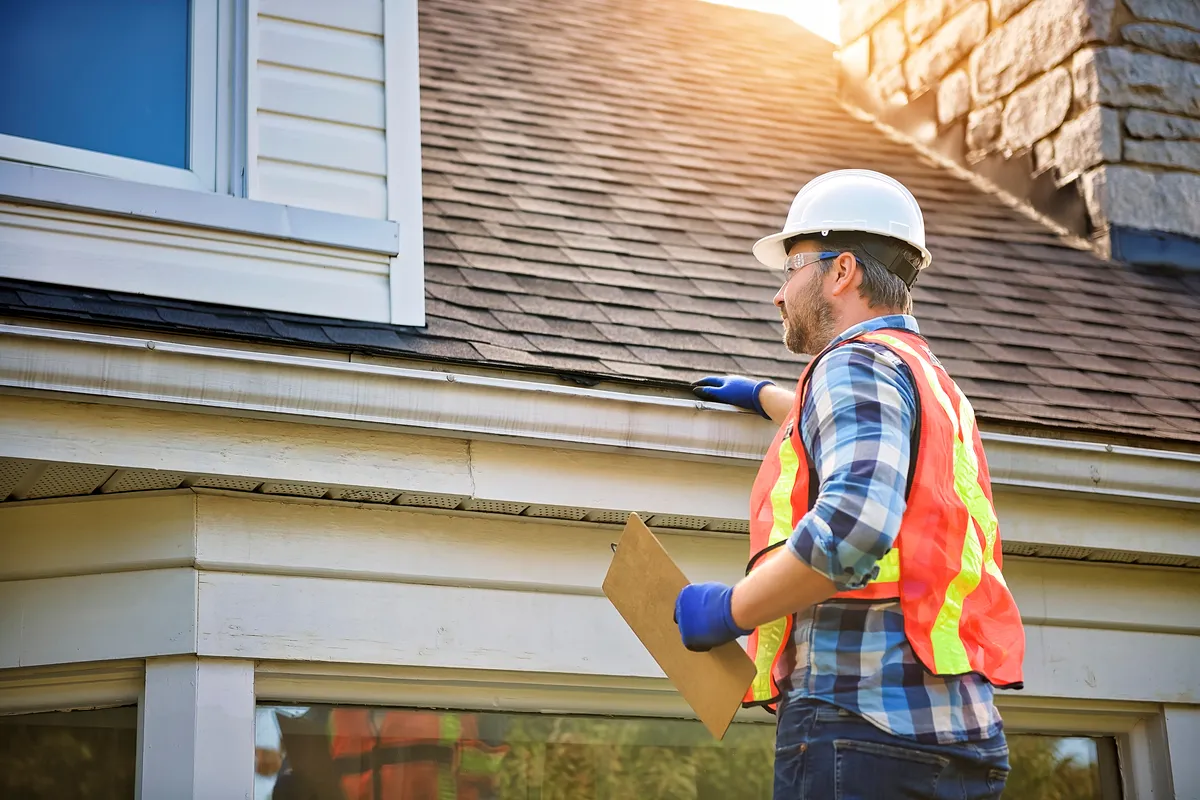
A roofer checking the day's job on a phone at the site
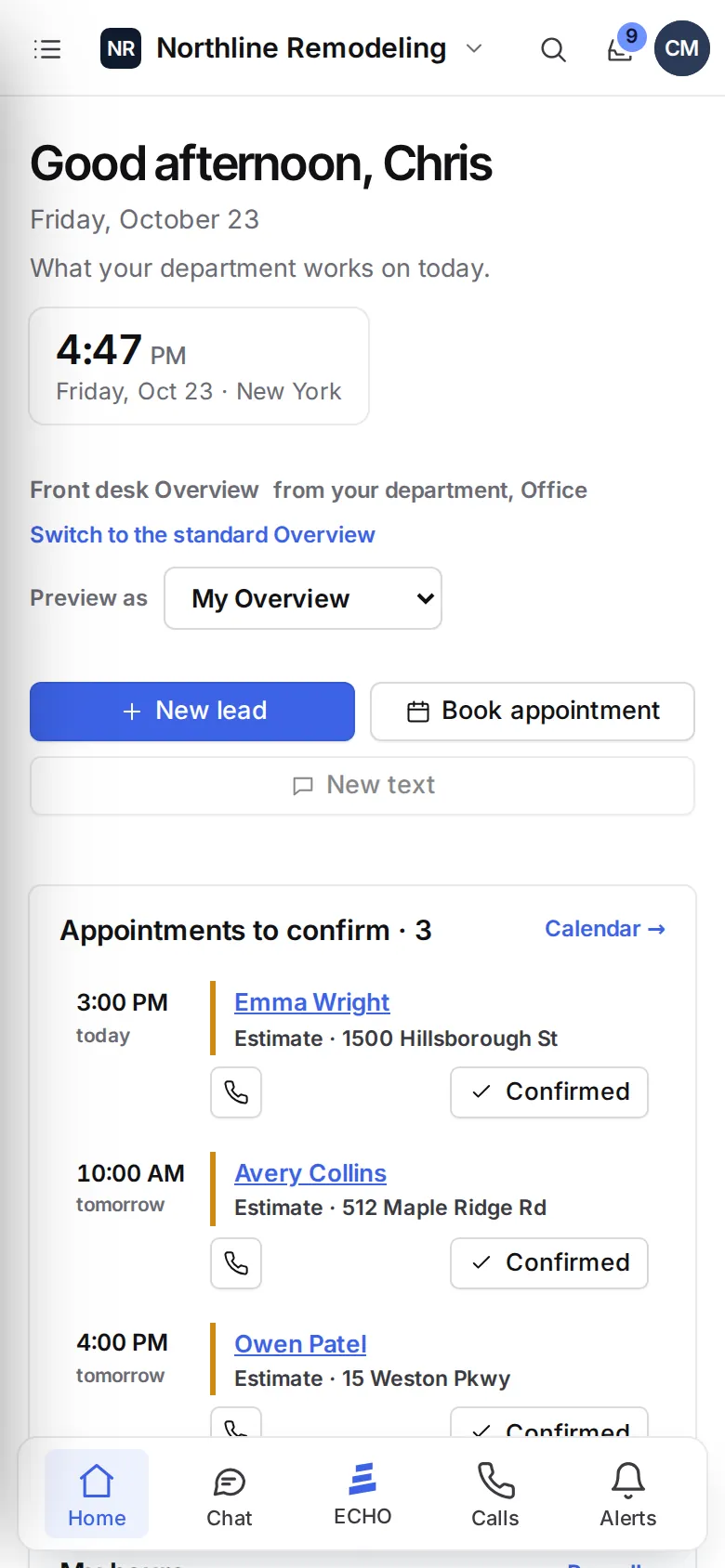
ECHOPS on a phone: the home screen with the day, quick actions and appointments to confirm

Getting set up

Three steps to ECHOPS on your phone

  1. Open your workspace in the browserGo to yourcompany.echops.com on your phone or tablet and sign in with an email link or a passkey. There’s no password to remember.
  2. Add it to your home screenOn iPhone or iPad, open it in Safari, tap Share, then Add to Home Screen. On Android, open the Chrome menu and tap Install app. ECHOPS then opens in its own window, like any app.
  3. Turn on alertsIn your profile, open Alerts & app and tap Turn on alerts. Pick what this device alerts you about, then send yourself a test alert. On iPhone and iPad, alerts come from the app on your Home Screen, so add it there first.

Nothing to update. ECHOPS always loads the latest version when you open it, on every device. It needs an internet connection to work.

Who does what

One construction management app for the office, field and clients

The office

Your bell keeps every notice, from new leads to signed quotes. Answer team chat and client messages, check the calendar, search any record, and text clients from your business number when you have Phone & texts.

Sales

Run the kitchen or bathroom estimate questions on site and add photos as you go. Show the client a new look with the AI design studio, send the quote link, or let the client sign in person on your device.

Project managers and drivers

Take photos and videos on the job, snap proof-of-delivery photos and receipts, and plan the day’s route. Map links open your phone’s maps app.

Crews

Subs sign in to the crew portal with an emailed link or code, no account needed. They see the scope, change orders, the payments on their sheet, materials without prices, the spec sheet, photos and the job chat, in English or Spanish.

Clients

Homeowners open their project portal on any phone: the stage of their job, updates with photos, appointments, video calls, payments and signed documents, and a chat with your team. See what clients see.

Everyone

Group chats and direct messages, a chat for every deal, and video meetings you can join from the phone. Undo is there when a tap goes wrong.

Made for small screens

Built for thumbs, not just desks

On a phone
What it does
Menu drawer and bottom bar
The full menu opens from the top bar, and a bar at the bottom holds Home, Chat, ECHO, Text and your alerts.
Swipe back
Swipe in from the left edge to go back a page.
Chat, one pane at a time
The conversation list and the conversation each get the whole screen.
Camera buttons
Take a photo or record a video on a job, photograph a receipt or a check, and add estimate photos straight from the camera.
Dictation
Say what to change in the AI design studio instead of typing it.
Maps
Job addresses and route plans open in your phone’s maps app.

The iPhone app

An iPhone app is on the way

Today: ECHOPS works in the browser on every phone and tablet, and from your home screen it opens in its own window and sends alerts. An iPhone app is on the way. Watch What’s new for news.

Questions

The ECHOPS contractor app, answered

Do I need to download anything?

No. Open yourcompany.echops.com in your phone’s browser and sign in. Adding it to your home screen is optional, but it gives you an app icon and alerts.

Does it work on Android?

Yes. Open your workspace in Chrome, then tap the menu and Install app (or Add to Home screen).

Can I get alerts on an iPhone?

Yes, from the app on your Home Screen. In Safari, tap Share, then Add to Home Screen, open ECHOPS from there, and turn alerts on in your profile.

Do crews and clients need an account or a password?

No. Crews and clients get an email with a sign-in link and a 6-digit code. They open the link, or type the code, and they’re in.

Is there an iPhone app?

It’s on the way. Until then, ECHOPS on your home screen does the job.

Does it work without signal?

ECHOPS needs an internet connection. It doesn’t keep a copy on the phone, so you always see the latest version of every record.

Does ECHOPS work as a construction app for iPad?

Yes. Open your workspace in Safari on the iPad, tap Share, then Add to Home Screen, and ECHOPS opens in its own window with alerts. On site you can run the estimate questions, take photos, draw the room to scale and have the client sign on the iPad. It needs an internet connection.

How do I choose a construction app for my company?

Think about who has to use it and where: the office, the field, subs and clients. Look for job photos, schedules, quotes and signatures from the phone, and portals that need no password. Ask whether it’s an app-store app or runs in the browser; ECHOPS runs in the browser. See how contractor software compares.

How much does the contractor app cost?

Using ECHOPS on phones and tablets comes with every plan: Solo $149/mo with 3 users, Crew $299/mo with 8 and Company $599/mo with 20. With our special price, your first two months are $49, $59 or $69 a month, then the regular price. Try it free for 14 days with no credit card.
Your next job,
from one place

Try ECHOPS free for 14 days with your own leads and jobs. No credit card, and your workspace is ready in minutes.

Special price: your first 2 months from $49/mo. Limited spots, so sign up today.