Product

All featuresECHOEstimates & quotesProjects & schedulePhone & texts

Company

IndustriesPricingResourcesSign in
Features/Projects & schedule

Construction project management,
every job on one screen

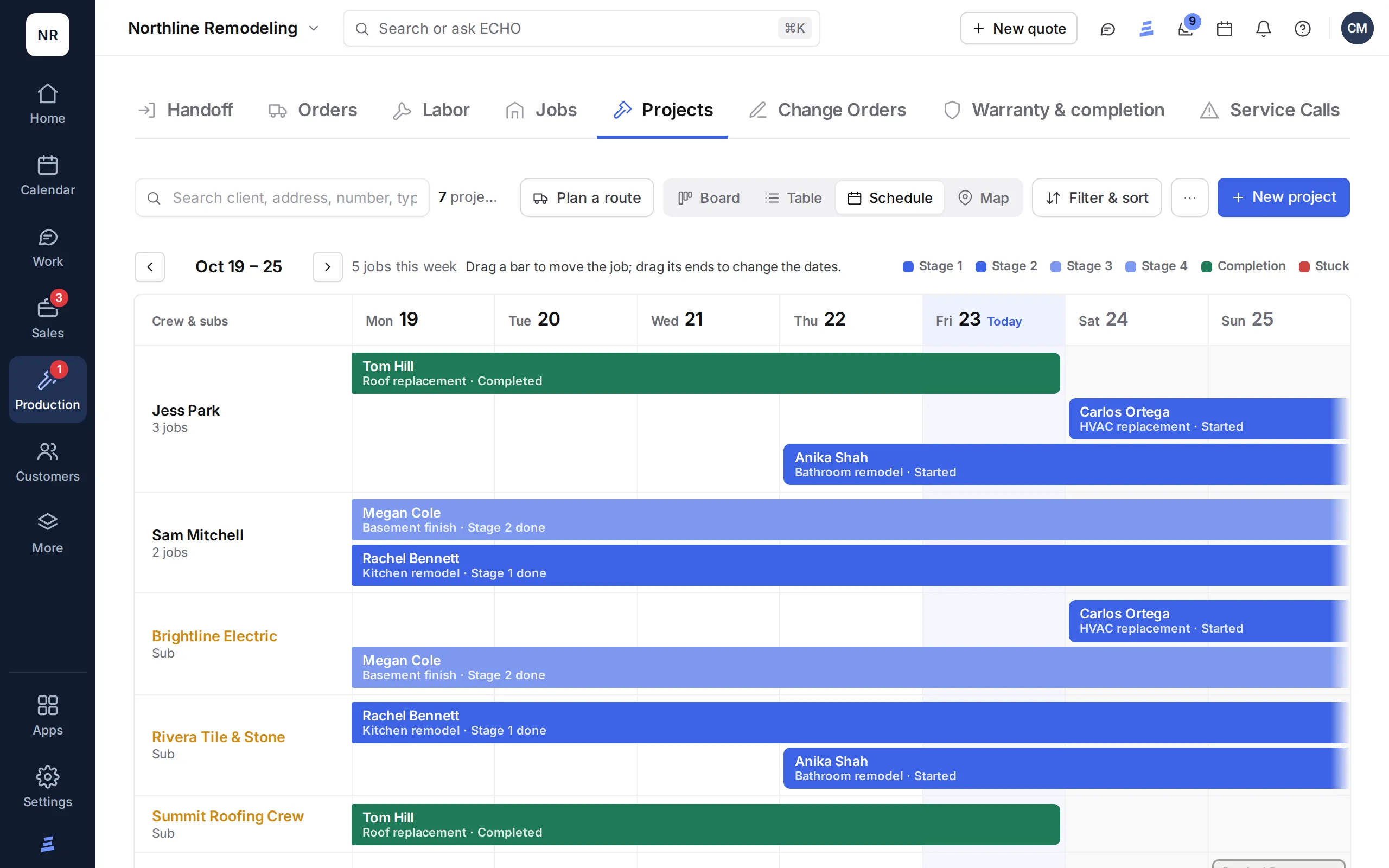
Construction project management software that starts when the deal is signed: the job becomes a project with stages, a checklist, its own schedule, crew, materials, sub costs and documents. The weekly schedule shows every job by project manager and sub, the deliveries due and the jobs running late.

In every ECHOPS plan unless noted · 14-day free trial

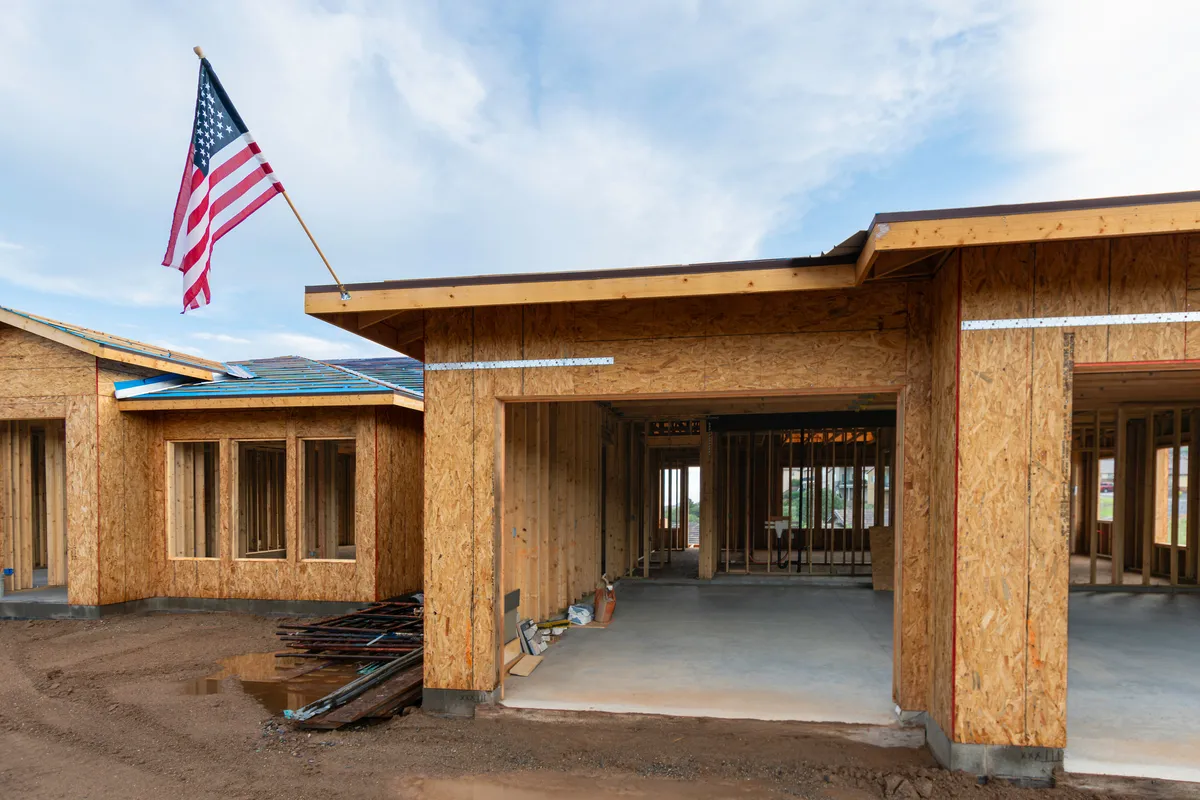
A new house in framing
The ECHOPS Projects schedule: a week of jobs by crew and sub, colored by stage

See it in action

Watch a job move through its stages

The Projects board and its views, a new project, stages and their checks, the crew, photos and documents, chat and notes, and route planning.

3:50 · Filmed in ECHOPS with sample dataTranscript and chapters →

What you get

Contractor project management software,
from signed deal to walkthrough

01

Stages with a checklist

Move a job forward when its stage's checks are done. A stuck job remembers where it was.

02

The week at a glance

A row per project manager and per sub, each job a bar from start to end, late jobs ringed in red.

03

Orders, POs and deliveries

Pull materials from the signed quote, send the supplier a numbered purchase order or mark them ordered, and receive them item by item.

04

Sub cost

One labor sheet per job, lines from the quote's labor, payments by stage, printed in the sub's language.

05

Tell the client

When a job moves into a working stage, send the client an update with photos by email or text.

06

Files in folders

Contracts, drawings, renders, permits and photos on the project, with the deal's files beside them.

07

A schedule for every job

Tasks and milestones on a chart, each starting after the tasks it follows. Drag a bar to move it, and start from a template for a kitchen, bathroom or roof.

08

Critical path and the plan

The tasks that set the end date are ringed in red. Save the plan, and the chart shows how many workdays the job is behind or ahead of it.

09

Budget against actual

Each job’s budget from its signed quotes next to what it has cost, by materials, subs, crew, fees and other, with overruns flagged.

A week of jobs by project manager and sub, colored by stage

In practice

Paperwork,
read for you

  • Order confirmations, invoices and receipts read into the order by AI
  • Packing slips matched to the items you received
  • Damaged items flagged for a return
  • Proof-of-delivery photos kept on the order

Works with

Construction management software,
connected to the sale

Questions

Construction project management, answered

What is construction management software?

Software that keeps a job’s schedule, crew, materials, subs, documents and client updates in one place once the work is sold. ECHOPS does that and also covers the sale before it and the invoices after it, so the signed quote, the project and the payments stay together.

Does ECHOPS have a Gantt chart?

Yes. Each project has its own schedule: tasks and milestones on a chart, each starting after the tasks it follows, with the critical path ringed in red, a saved plan to compare against, and templates for kitchens, bathrooms and roofs. Labor has a crew Gantt where you drag to book a crew on a job, and the weekly schedule shows each job by project manager and by sub, with late jobs ringed in red. For appointments and crew calendars, see contractor scheduling software.

Is it simple enough for a small construction business?

It’s made for small teams. Plans come with 3, 8 or 20 users, and every project uses the same stages, checklist and weekly schedule, so there’s no setup to design from scratch. The How-to Guide in the app explains each section step by step, and your workspace is ready in minutes.

Is it cloud-based construction project management software?

Yes, it’s web-based. ECHOPS runs in the browser on a computer, phone or tablet, with nothing to install, and your data is stored in the United States. It installs to the home screen like an app, needs an internet connection and always loads the latest version.

Can subs and clients see the project?

Yes, each in their own portal, with no password. Clients see your project stages in plain words, updates with photos, appointments, payments with Pay now and signed documents. Subs see the scope, change orders, the payments on their sheet, materials without prices and the spec, in English or Spanish. See client and crew portals.

How much does construction project management software cost?

Projects and the weekly schedule are in every ECHOPS plan: Solo $149/mo with 3 users, Crew $299/mo with 8 and Company $599/mo with 20. Extra users are $25/mo. With our special price, your first two months are $49, $59 or $69 a month, then the regular price. The trial is 14 days, no card.
Your next job,
from one place

Try ECHOPS free for 14 days with your own leads and jobs. No credit card, and your workspace is ready in minutes.

Special price: your first 2 months from $49/mo. Limited spots, so sign up today.