Product

All featuresECHOEstimates & quotesProjects & schedulePhone & texts

Company

IndustriesPricingResourcesSign in
Features/E-signatures

Electronic contract signing,
with proof built in

Sign contracts, quotes, change orders and any PDF online or in person. Clients sign on their phone or your tablet, co-signers sign on their own link, and every signed PDF carries a signing certificate.

In every ECHOPS plan unless noted · 14-day free trial

A couple smiling after choosing their remodel
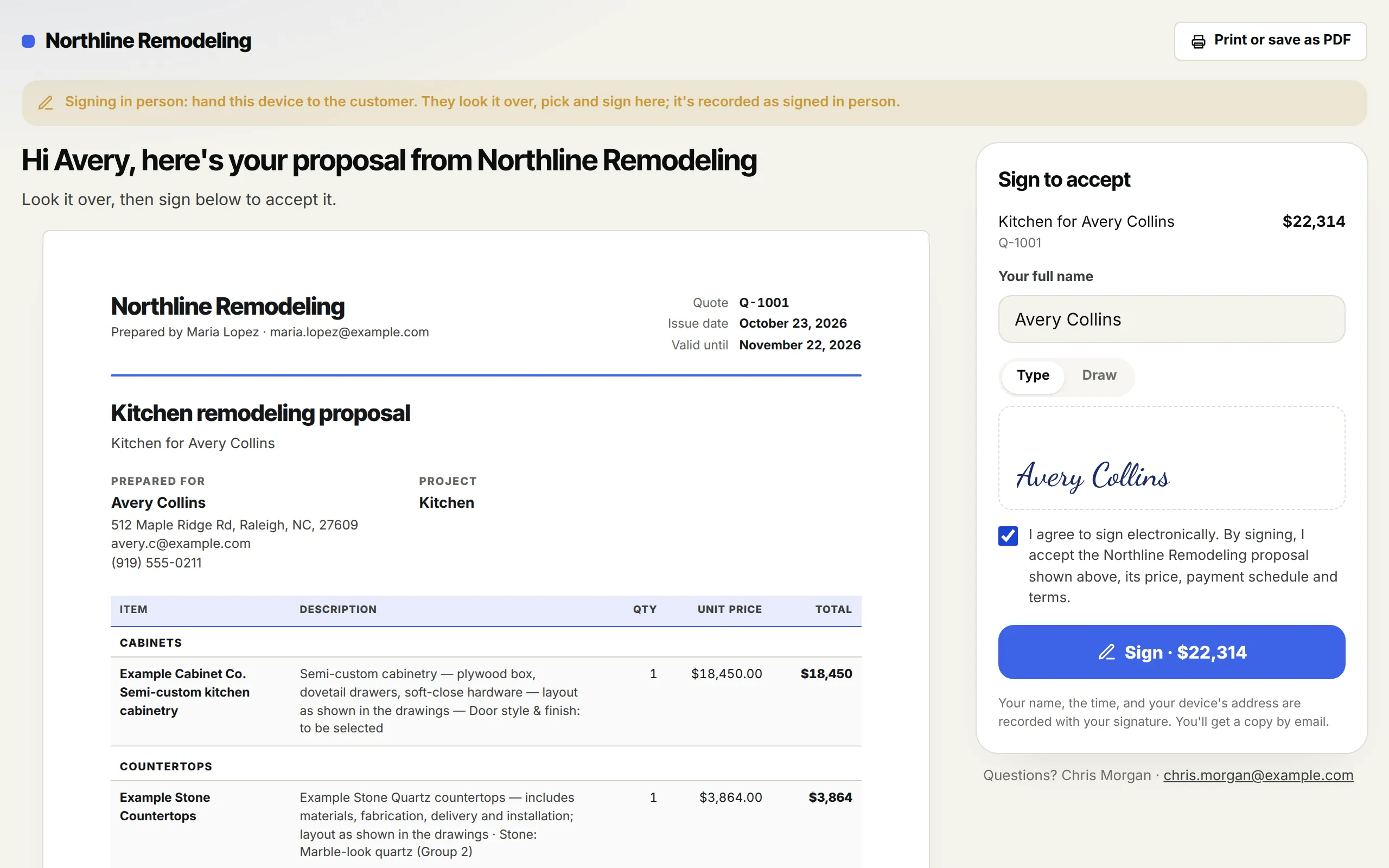
A client signing an ECHOPS quote: typed name, drawn signature and consent
Typed or drawn, signed online

See it in action

Watch a quote go out and come back signed

The Send window, options, signing in person, PDFs, what the client sees, and what happens the moment they sign.

3:03 · Filmed in ECHOPS with sample dataTranscript and chapters →

What you get

An electronic signature app
inside your quotes and contracts

01

Any PDF

Upload a PDF, add up to six signers in order or all at once, and drag signature, initials, date and text boxes onto the pages.

02

Your documents, your wording

Contracts, design retainers, warranties and completion certificates built from the job's data and your own wording.

03

Co-signers

A spouse or co-owner signs alongside the client on their own link. The document is signed when everyone has.

04

Initials on every drawing

When a document has drawings, the client initials each page before signing.

05

Reminders that stop on their own

Choose when reminders go and how many. They stop once it's signed.

06

A certificate on every signed PDF

Who signed, how, when and from where, with the document's fingerprint before and after.

A homeowner choosing finishes in a showroom

In practice

Virtual contract signing,
or in person

  • Sign together on your device during the visit
  • Or send the link by email or text
  • Record a paper signature when that's how it happened
  • Everyone gets the signed copy

Works with

E-sign contracts,
connected to the job

Questions

Electronic contract signing, answered

How do I sign a contract electronically?

Build the contract or quote in ECHOPS, or upload any PDF, then send the signing link by email or text. The client opens it on their phone, initials and signs, and everyone gets the signed copy. You can also sign together on your tablet during the visit.

Are electronic signatures legally binding for contracts?

In the US, the federal ESIGN Act and state e-signature laws generally treat an electronic signature like a handwritten one, with some exceptions for certain documents. This isn’t legal advice, so check your state’s rules or ask a local attorney about your contracts. See contractor rules by state.

Can a spouse or co-owner sign too?

Yes. Add up to six signers, in order or all at once. Each co-signer signs on their own link, and the document counts as signed once everyone has.

What proof do I get after the client signs?

Every signed PDF carries a signing certificate: who signed, how, when and from where, plus the document’s fingerprint before and after signing.

Is e-signature an extra charge?

No. E-signatures are part of every ECHOPS plan. See plans and pricing or start a 14-day free trial with no credit card.

Your next job,
from one place

Try ECHOPS free for 14 days with your own leads and jobs. No credit card, and your workspace is ready in minutes.

Special price: your first 2 months from $49/mo. Limited spots, so sign up today.