Product

All featuresECHOEstimates & quotesProjects & schedulePhone & texts

Company

IndustriesPricingResourcesSign in
Features/Reports

Job costing software that shows
which jobs make you money

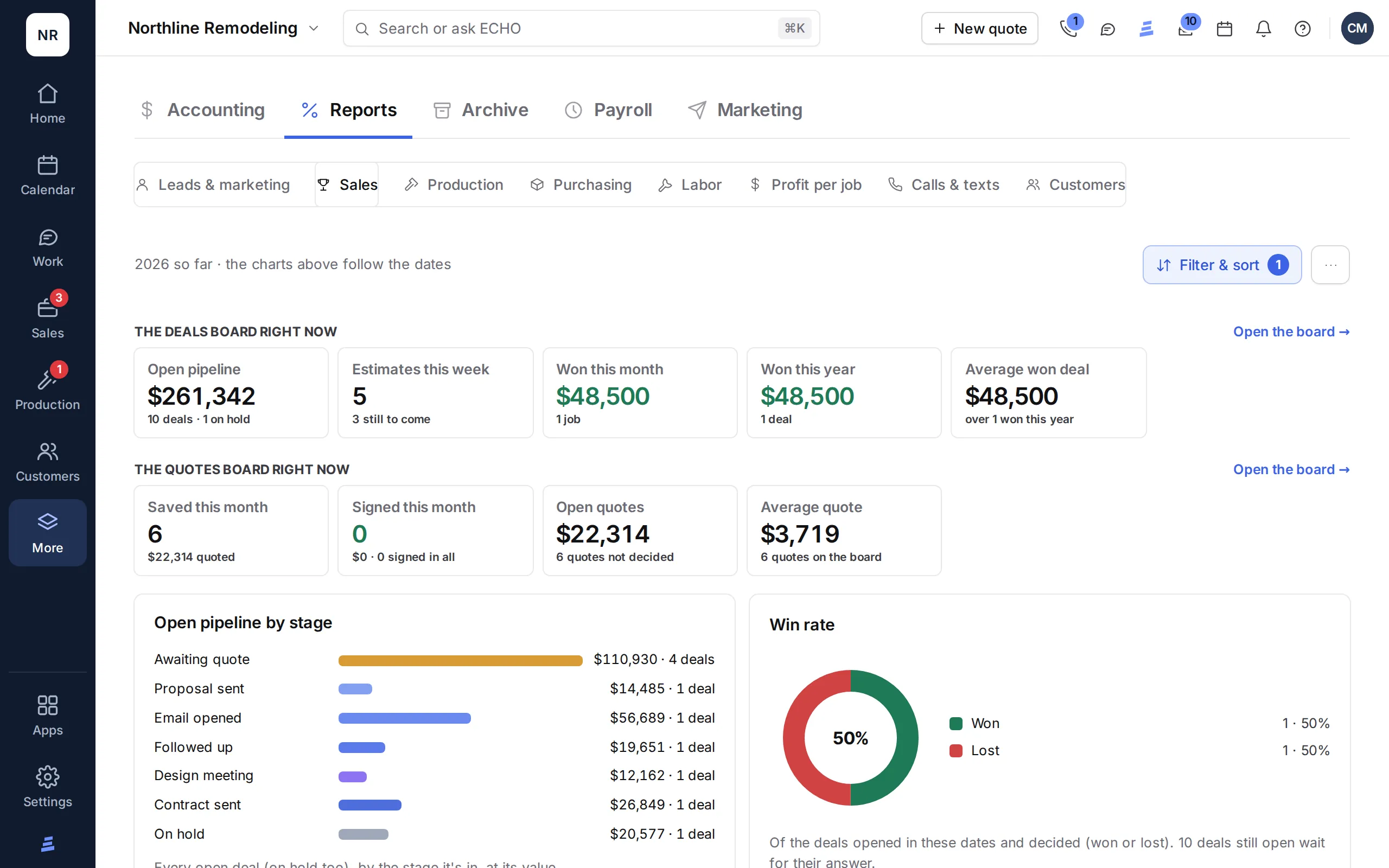
Profit per job, each job’s budget against what it has cost, sales by month, materials by supplier, labor by sub and the cost of every lead source, from the numbers your team already keeps.

In every ECHOPS plan unless noted · 14-day free trial

A team going over the numbers in a meeting
ECHOPS Reports: the open pipeline by stage, quotes, win rate and sales

See it in action

Watch your numbers without the spreadsheet

Each Reports tab, from leads and sales to profit per job and customers, the downloads, and who can open Reports.

2:55 · Filmed in ECHOPS with sample dataTranscript and chapters →

What you get

Construction job costing,
from the records you already keep

01

Profit per job

Charged, materials, sub labor, your crew’s logged hours at each person’s rate and expenses, with the margin and each missing number flagged. Crew hours count once each person’s rate is set: Labor → Crews & rates, or Payroll on Company.

02

Sales

The year by the day each job was sold, with a run-rate, by rep and location.

03

Materials

By supplier, month and kind of job, with the shipping share and lines still to order.

04

Labor

By sub, with price ranges per kind of job, change orders and what's due now.

05

Marketing

Leads, estimates, wins and spend by lead source, with cost per lead, per estimate and per client.

06

QuickBooks and CSV

Each job’s invoices, payments and costs go to QuickBooks Online on their own, and every report downloads as CSV for your accountant or your spreadsheet.

07

Budget against actual

Each job’s budget from its signed quotes, by materials, subs, crew, fees and other, next to what’s committed, what’s paid and what’s left.

08

Change orders in the budget

Add a signed change order’s cost, or any other line, to the job’s budget, so the plan keeps up with the work.

09

Overruns flagged

A cost type over budget, a cost with no budget, or a signed change order with no cost yet is flagged on the job, with the projected profit against plan.

A homeowner choosing finishes in a showroom

In practice

Numbers you
already have

  • Nothing to type twice: reports read your jobs, orders and invoices
  • Pick the period, or any range of months
  • Filter by company and location
  • Click a bar to see what's behind it

Works with

Construction reporting software,
connected to the work

Questions

Job costing software, answered

What is job costing in construction?

Tracking what each job costs against what you charged, so you know its real profit. ECHOPS takes the contract and change orders, subtracts materials, sub labor, your crew’s logged hours at each person’s rate and expenses, shows the margin and flags any number that’s missing. Crew hours count once each person’s rate is set: Labor → Crews & rates, or Payroll on Company. It reads the jobs, orders, hours and invoices your team already keeps, so nothing is typed twice.

For a worked example, read our job costing guide.

For each job’s budget against actual costs, see construction budgeting software.

Which reports come with ECHOPS?

Profit per job; sales by the day each job was sold, with a run-rate, by rep and location; materials by supplier, month and kind of job; labor by sub, with what’s due now; and marketing by lead source. Pick any range of months, filter by company and location, and download each report as CSV.

Can I see which lead sources make money?

Yes. Marketing by lead source shows each channel’s leads, estimates booked, jobs won, revenue and spend, with cost per lead, per estimate and per client and the return on spend. Enter your ad spend by month and the rest comes from your leads and jobs.

Does ECHOPS connect to QuickBooks for job costing?

Yes. With QuickBooks Online connected, each job is a sub-customer in QuickBooks, and its invoices, payments and costs land on it on their own: materials bought on orders, sub payments and expenses. ECHOPS still works out each job’s budget and profit from what your team records: the signed quotes’ costs, change orders, material orders, sub labor sheets, your crew’s logged hours and expenses. Every report also downloads as CSV.

Is there a job costing app for the field?

ECHOPS runs in the browser on any phone and installs to the home screen, so the field adds costs as they happen: receipts photographed and read by AI, packing slips matched to orders, and sub payments recorded on the labor sheet. Profit per job updates from those records. It needs a connection.

How much does job costing software cost?

Reports, including profit per job, are in every ECHOPS plan: Solo $149/mo with 3 users, Crew $299/mo with 8 and Company $599/mo with 20. With our special price, your first two months are $49, $59 or $69 a month, then the regular price. Try it free for 14 days with no credit card.

Your next job,
from one place

Try ECHOPS free for 14 days with your own leads and jobs. No credit card, and your workspace is ready in minutes.

Special price: your first 2 months from $49/mo. Limited spots, so sign up today.