Product

All featuresECHOEstimates & quotesProjects & schedulePhone & texts

Company

IndustriesPricingResourcesSign in

Features/Take the tour

Take the tour

Follow one job through ECHOPS, start to finish

A construction software demo with no sign-up: a short recorded walkthrough of the real app, then nine steps from the first call to the profit report, each with a simple sketch of what the screen holds.

Filmed in ECHOPS with sample data · 1 min 16 sec

About the sketches. Each step has a simplified illustration of what that screen holds. They’re drawn for this page with the words ECHOPS uses, not screenshots, and they leave out names and numbers.

Win the job

From first call to a drawing

Step 1 · Lead

A lead arrives

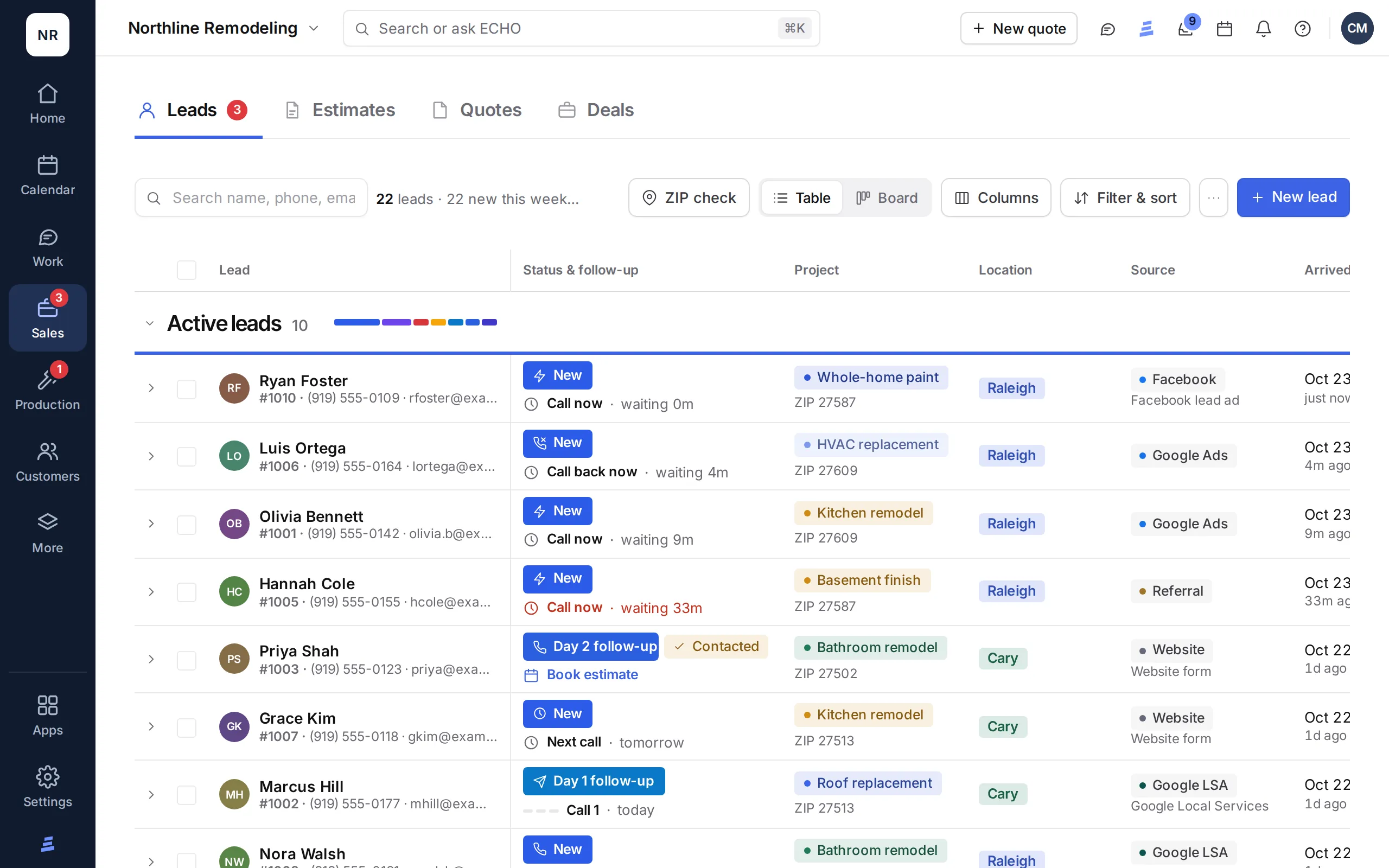
A website form, a call or text to your business number, a marketplace lead email or a Google Ads lead form lands on the Leads board as New, and owners and admins get an email. Follow-up steps keep track of each try until you book the estimate, which opens the deal.

CRM and lead management →

Simplified illustration

Leads board

Source
Project
Status
Website form
Kitchen
New
Call to your number
Bathroom
Day 1
Lead email
Kitchen
Scheduled
Scheduled books the estimate and opens the deal.

Step 2 · Estimate

The estimate, on site

Open a kitchen or bathroom estimate from the deal and work through the questions with the client: cabinets, countertops, plumbing, electrical and more. Add photos as you go. It saves by itself and comes out as one PDF.

Estimates and quotes →

Simplified illustration

Kitchen estimate

Section
Status
House
Answered
Cabinets
Answered
Countertop & backsplash
Answered
Plumbing & ventilation
Open
Photos
Added

Step 3 · Layout

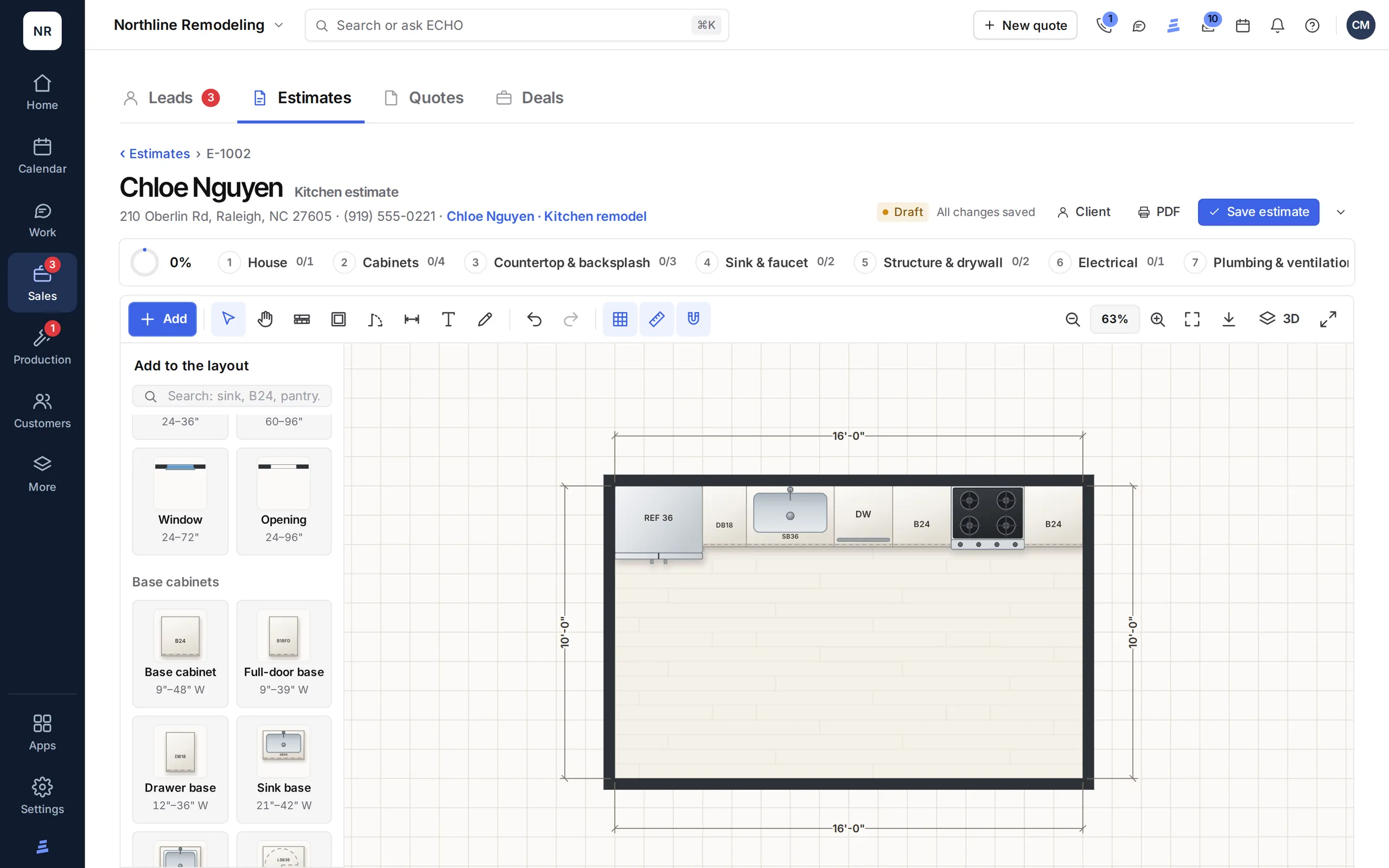
The layout drawing

Draw the walls by their room-side face and place doors and windows by distance. Cabinets come in the sizes you order, like B24, DB18, SB36 and W3030, and snap to the walls. Add dimensions, then export a DXF for your design software.

Layout drawings →

Simplified illustration

Layout · Kitchen
Piece
Placed by
Walls
Room-side length
Window
Distance along the wall
B24 · DB18 · SB36
Snapped to the wall
W3030
Above the base cabinets
Export: DXF in inches, named layers.
The ECHOPS Leads table: each lead's status, next follow-up, project and source
The ECHOPS layout drawing: a kitchen plan to scale with cabinet codes and dimensions

ECHOPS with sample data

Close it

A quote with options, signed online

Step 4 · Quote

A quote with options

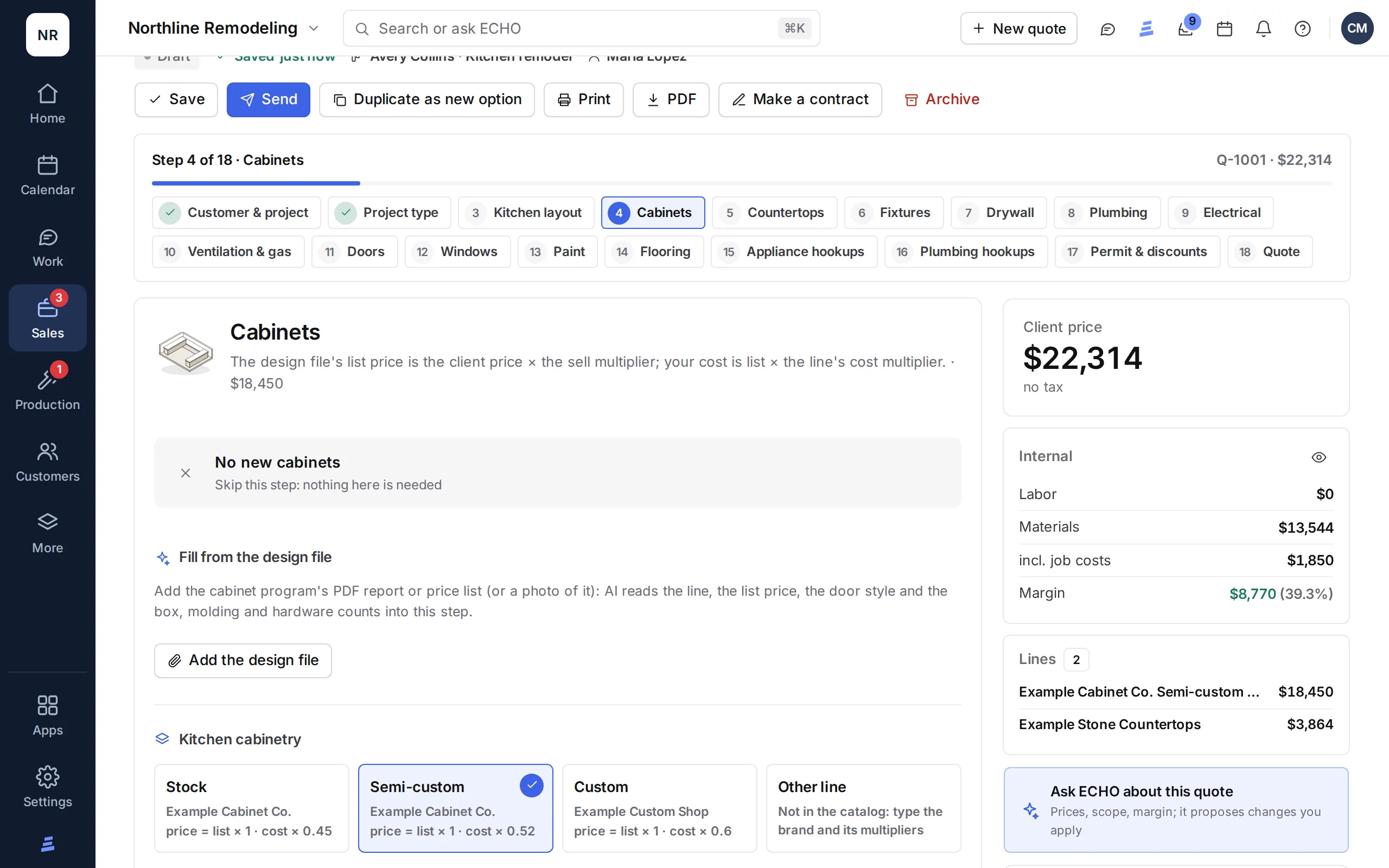
Price the job from your price book: by size, by unit, allowances, cost parts, markups and waste. Put two options side by side, set a payment plan by stage or lender financing, and send it as a link the client opens. You see when they do.

Estimates and quotes →

Simplified illustration

Quote · two options

Line
Status
Option A · Shaker cabinets
Ready
Option B · Slab cabinets
Ready
Payment plan
Deposit · Progress · Balance
Quote link
Opened

Step 5 · Signature

The client signs

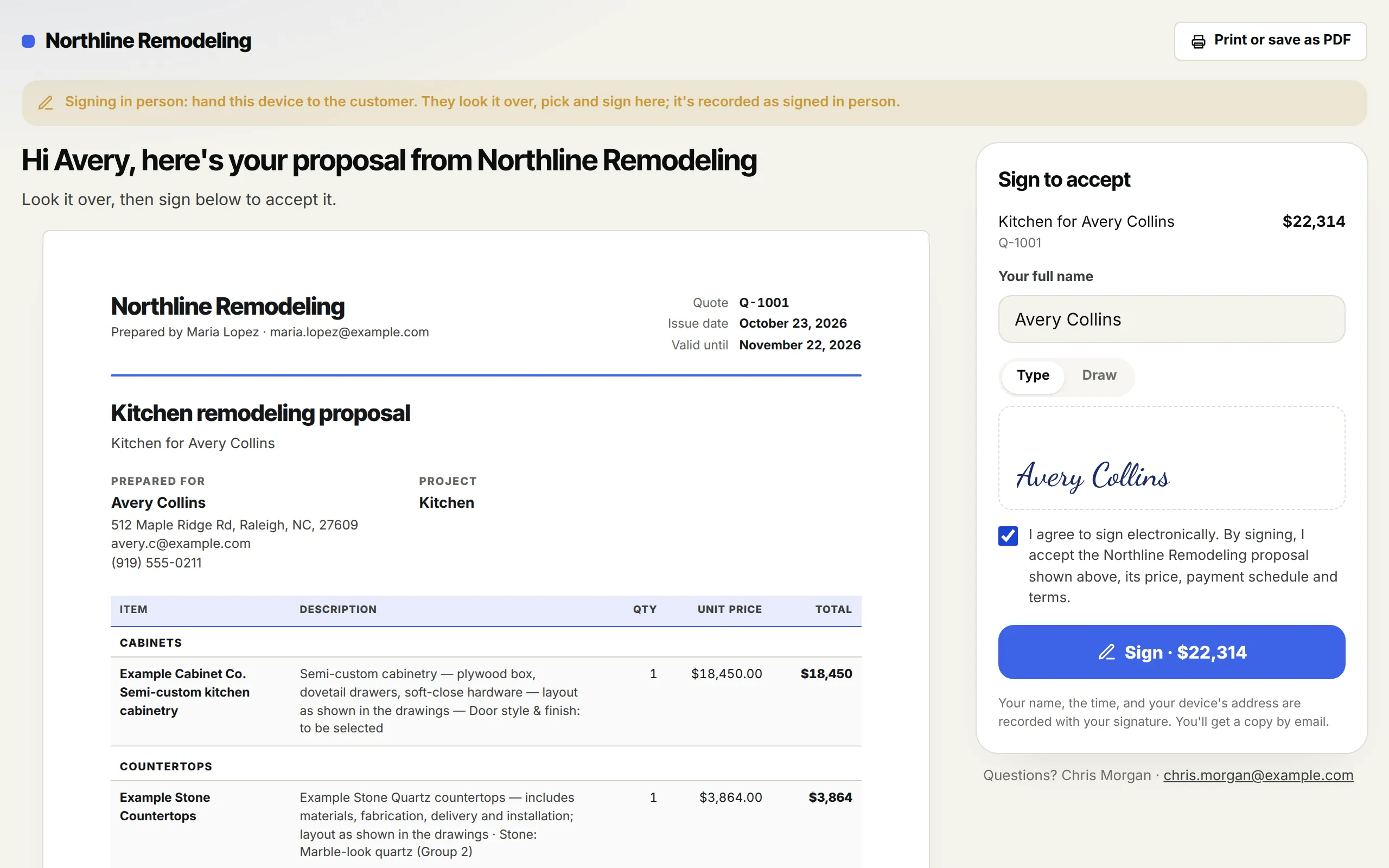
The client picks an option and signs from the link, or in person on your device. The signing certificate records who signed, how, when and where, with a fingerprint of the document. The signed quote wins the deal, and your team hears about it.

E-signatures →

Simplified illustration

Signed

Record
Kept
Option picked
Option A
Signature
Typed or drawn
Certificate
Who · how · when · where
Document
Fingerprint
The deal moves to Won with the signed quote.
The ECHOPS quote builder: cabinets priced from the price book, with the client price, cost and margin
A client signing an ECHOPS quote: typed name, drawn signature and consent

ECHOPS with sample data

ECHOPS isn’t legal advice. Rules for contracts and e-signatures vary by state, so check your state’s rules or ask a local attorney.

Build it

The project, the crew and the client, in step

Step 6 · Project

Project schedule and crew portal

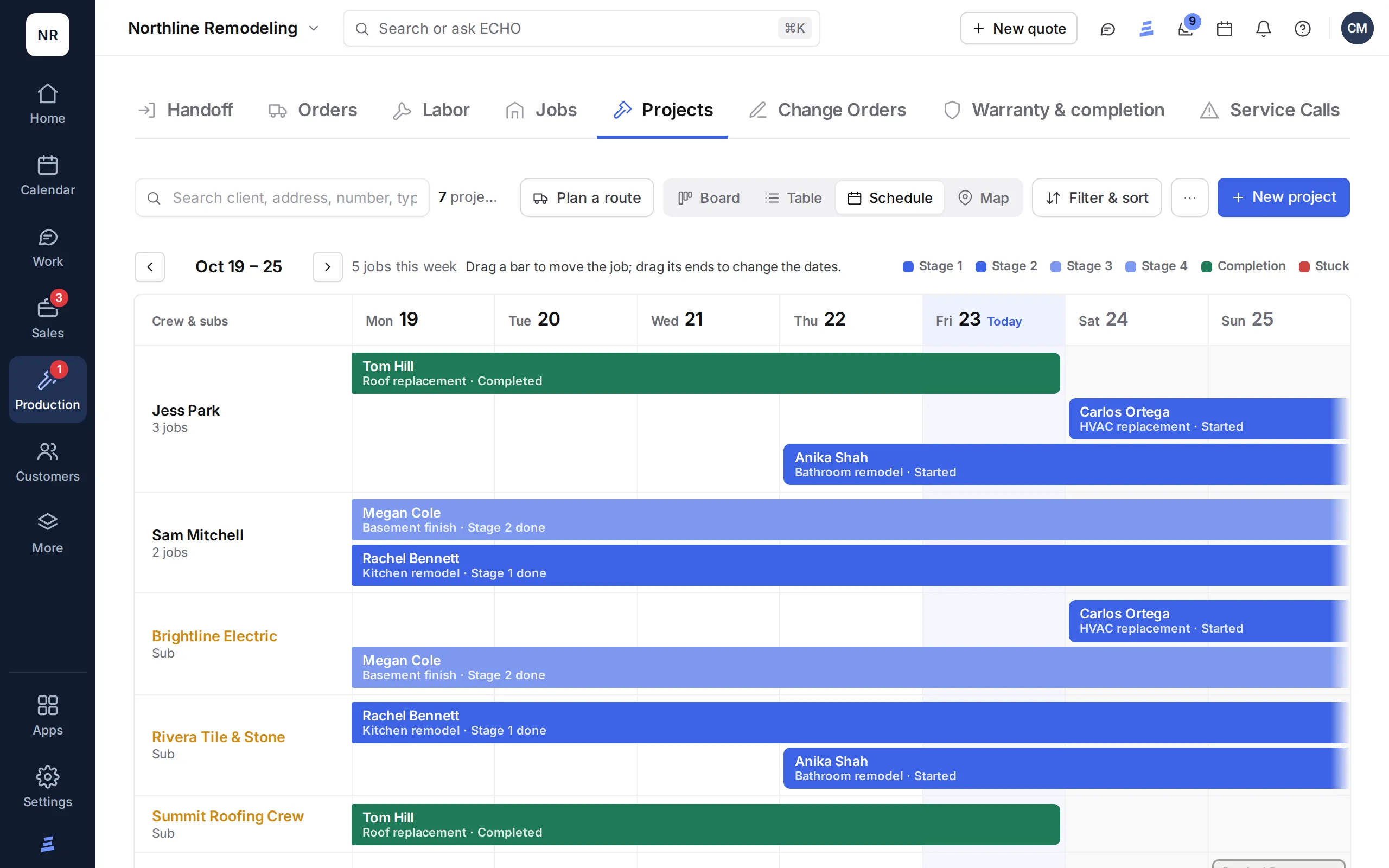
The won deal becomes a project with its contract. Work through the stages and their checklist, see the week by project manager and sub, track orders and deliveries, and keep each sub’s cost sheet. Your crew signs in to the crew portal for the scope, change orders, the payments on their sheet, materials without prices, the spec sheet and photos, in English or Spanish.

Projects and scheduling →

Simplified illustration

Project

Stage
Status
Stage 1 · Demolition & debris removal
Done
Stage 2 · Preparation
Under way
Stage 3 · Installation
Next
Crew portal
Scope · materials · photos · chat

Step 7 · Client portal

Updates in the client portal

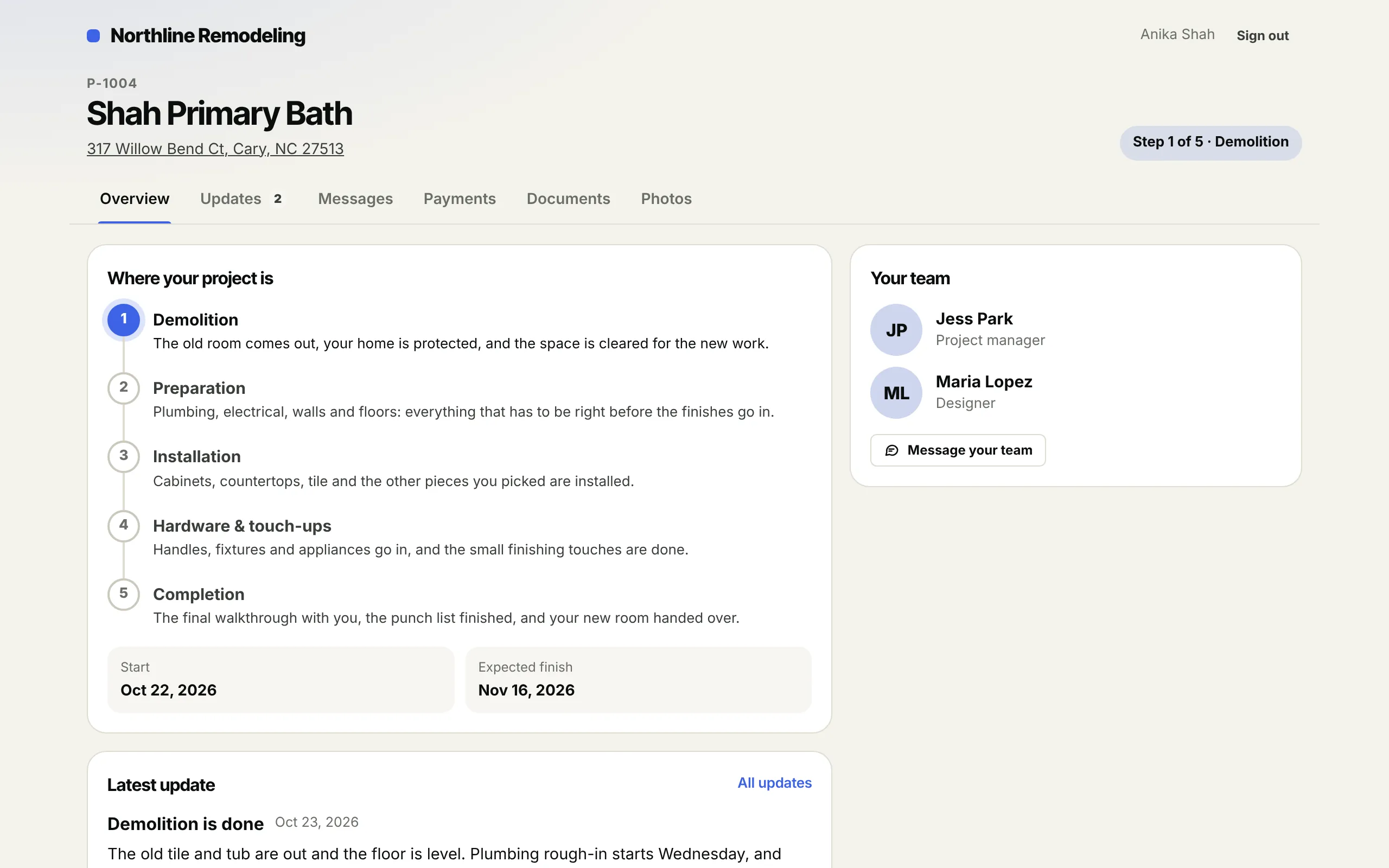
Your client signs in with an emailed link or 6-digit code, no password. They see which of your stages the job is in, updates with photos, appointments, a Join button for video calls, payments with Pay now, signed documents and a chat with your team.

Client and crew portals →

Simplified illustration

Your project

Tab
Shows
Overview
Step 2 of 5 · Preparation
Updates
Latest update with photos
Payments
Paid · Due · Upcoming
Documents
Contract · change orders
Video call with your team: Join shows 10 minutes before.
The ECHOPS Projects schedule: a week of jobs by crew and sub, colored by stage
The ECHOPS client portal: the project's stages, its team and the latest update

ECHOPS with sample data

Get paid

Invoices that follow the plan, and the profit you kept

Step 8 · Invoices

Invoices from the payment plan

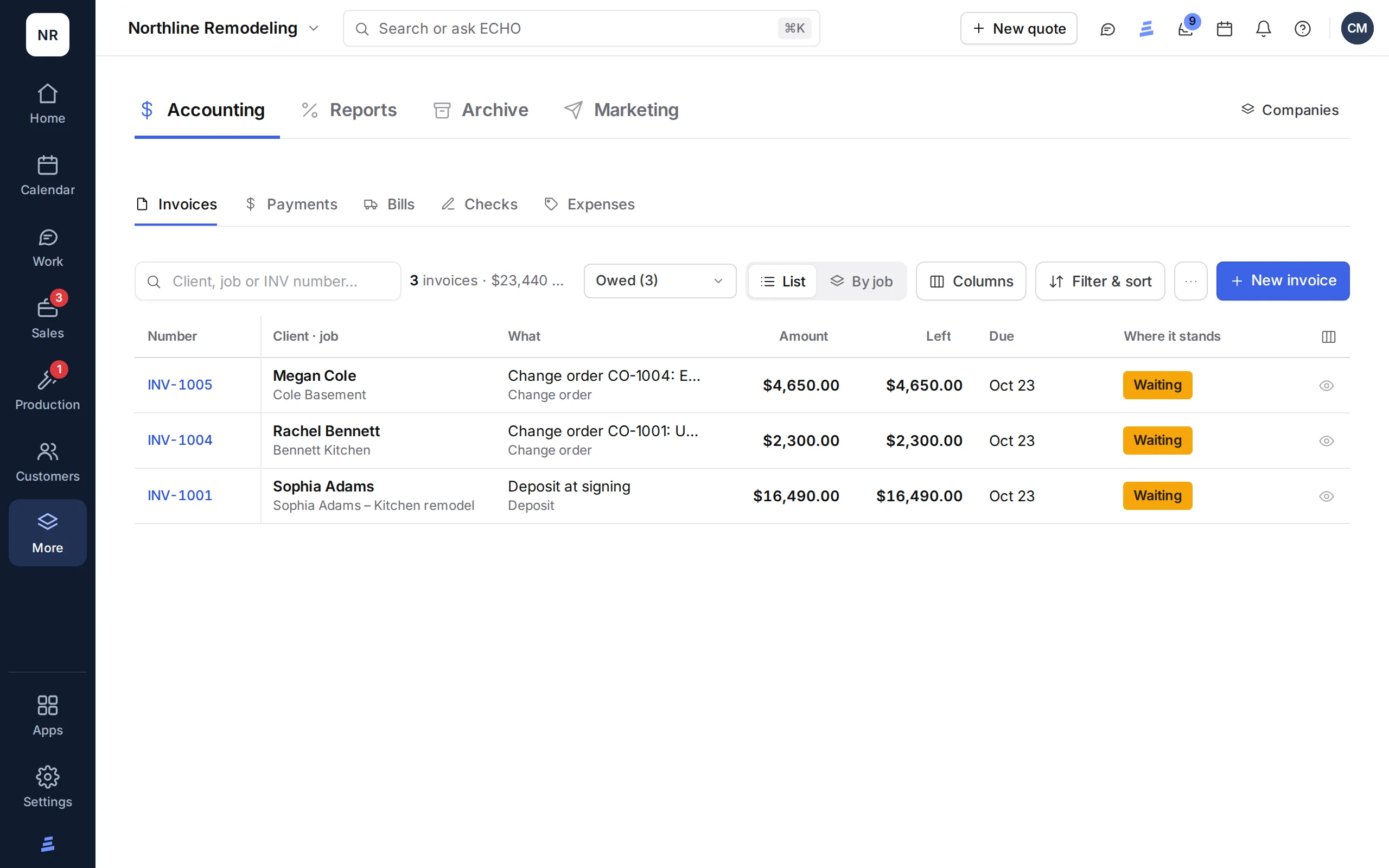
When the deal is won, its payment plan becomes the job’s invoices: the deposit is billed, and progress and balance wait until you bill them. Signed change orders bill themselves on their own invoices. Clients pay invoice links by card, Apple Pay, Google Pay or ACH, and you record checks, cash and other payments.

Invoicing and accounting →

Simplified illustration

Invoices

Invoice
Status
INV-1001 · Deposit
Paid · check
INV-1002 · Progress
Not billed yet · Bill it now
INV-1003 · Balance
Not billed yet
Change order
Bills itself when signed

Step 9 · Profit

The profit report

Profit per job sets the contract and signed change orders against materials bought, the sub’s labor sheet and job expenses. Look by period, kind of job or person, and download it as CSV.

Reports →

Simplified illustration

Profit per job

Line
Counts as
Contract + signed change orders
Income
Materials bought
Cost
Sub labor sheet
Cost
Job expenses
Cost
Profit
What’s left
ECHOPS Accounting: each invoice with its amount, what's left, due date and status
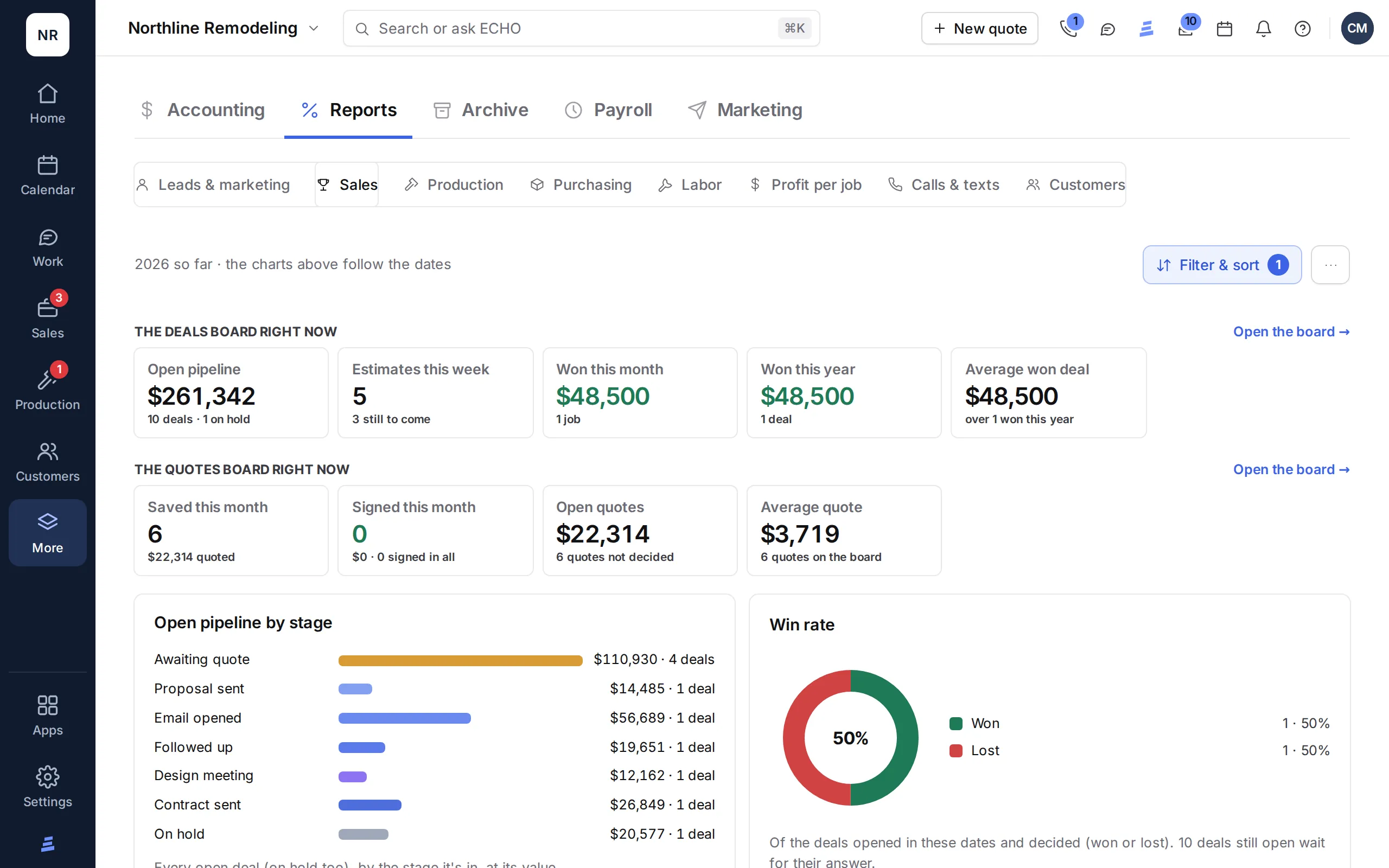
ECHOPS Reports: the open pipeline by stage, quotes, win rate and sales

ECHOPS with sample data

Try it with your own job

That’s one job. Now run yours.

Start a 14-day free trial with no credit card, and your workspace is ready in minutes. Or book a demo and we’ll walk through your kind of work.

Questions

Construction software demo, answered

Can I get a live construction software demo?

Yes. Book a demo and the ECHOPS team will email you within one business day to set a time, then walk through ECHOPS on the parts you care about. There’s also a monthly live walkthrough that follows one job from lead to invoice and takes your questions.

Are the screens in the tour real screenshots?

No. Each step shows a simplified sketch of what that screen holds, drawn with the words ECHOPS uses but without names or numbers. To see the real screens with your own jobs, start a 14-day free trial with no credit card; your workspace is ready in minutes.

How much does ECHOPS cost?

Plans are $149 a month for Solo with 3 users, $299 for Crew with 8 and $599 for Company with 20; extra users are $25 a month. With the special price, you pay $49, $59 or $69 a month for your first two months, then the regular price. Limited spots. Every plan starts with a 14-day free trial, no card. See every plan.

Does ECHOPS work for trades besides kitchens and baths?

Yes. The tour follows a kitchen job, but ECHOPS is built for contractors who sell, schedule and run jobs: remodelers, roofers, HVAC, plumbing and electrical shops, painters, builders and service companies. Service calls get statuses, warranty dates and a route planner. See ECHOPS by trade.

Your next job,
from one place

Try ECHOPS free for 14 days with your own leads and jobs. No credit card, and your workspace is ready in minutes.

Special price: your first 2 months from $49/mo. Limited spots, so sign up today.